 Files Across
How to transfer files between iPhone and Linux over Wi-Fi
Short answer
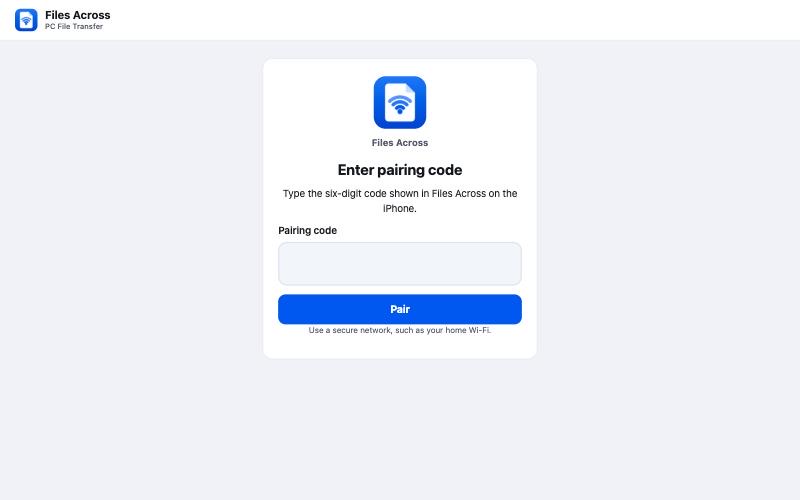
Apple doesn't make iPhone software for Linux, but you don't need any. Install Files Across on the iPhone, tap Connect Computer, and open the address it shows in Firefox, Chrome or Chromium on the Linux machine. Enter the six-digit code, then drag files in or click Download. Nothing to install with your package manager, and no cable.
What you need
- An iPhone or iPad with iOS 17 or later and the free Files Across app.
- Any Linux distribution with a current Firefox, Chrome or Chromium. Snap and Flatpak browsers work too.
- Both devices on the same local network (Wi-Fi or Ethernet on the same router). No internet needed.
Steps
- On the iPhone, open Files Across and tap Connect Computer. Allow Local Network access the first time.
- On the Linux computer, type the address into the browser's address bar exactly as shown, for example
http://192.168.1.42:8080. - Enter the six-digit code and click Pair.
- To the iPhone: drag files from Files (Nautilus), Dolphin, Thunar or any file manager onto the page, or click Choose files. Folder upload keeps subfolders (Pro).
- From the iPhone: in the app, tap Add Files to pick photos or documents. On the computer, click Download. Files go to your browser's download folder, usually
~/Downloads.
Opening iPhone photos on Linux
iPhone photos are usually HEIC. Many Linux image viewers open HEIC once libheif is installed (often already present on recent desktops). If you'd rather have JPG files, Files Across Pro converts HEIC to JPG on the phone while downloading.
Troubleshooting on Linux
- Firewall:
ufwandfirewalldnormally allow outgoing connections, which is all the browser needs. You don't have to open any port on the computer. - Different subnets: some routers and office networks put wired and wireless devices on separate subnets. Check that the computer's IP (
ip -4 addr) starts the same way as the address on the iPhone. - VPN: a VPN on either device can route local traffic away. Pause it and try again.
- Address stopped working: leaving the app or locking the iPhone ends sharing. Tap Reconnect for a new address and code.
More help: full troubleshooting guide.
Other ways to do it
Over USB, tools such as libimobiledevice with ifuse, or gphoto2 for the camera roll, can reach parts of an iPhone, but setup and pairing vary by distribution. Cloud storage works if you don't mind uploading everything first. Files Across needs no packages, no cable and no internet.